How to create Amazon A+ content images
Amazon A+ Content (formerly Enhanced Brand Content) lets brand-registered sellers add rich visuals below the fold. The right images can increase conversion by 3–10%. This guide covers module types, image dimensions, and practical creation workflows.
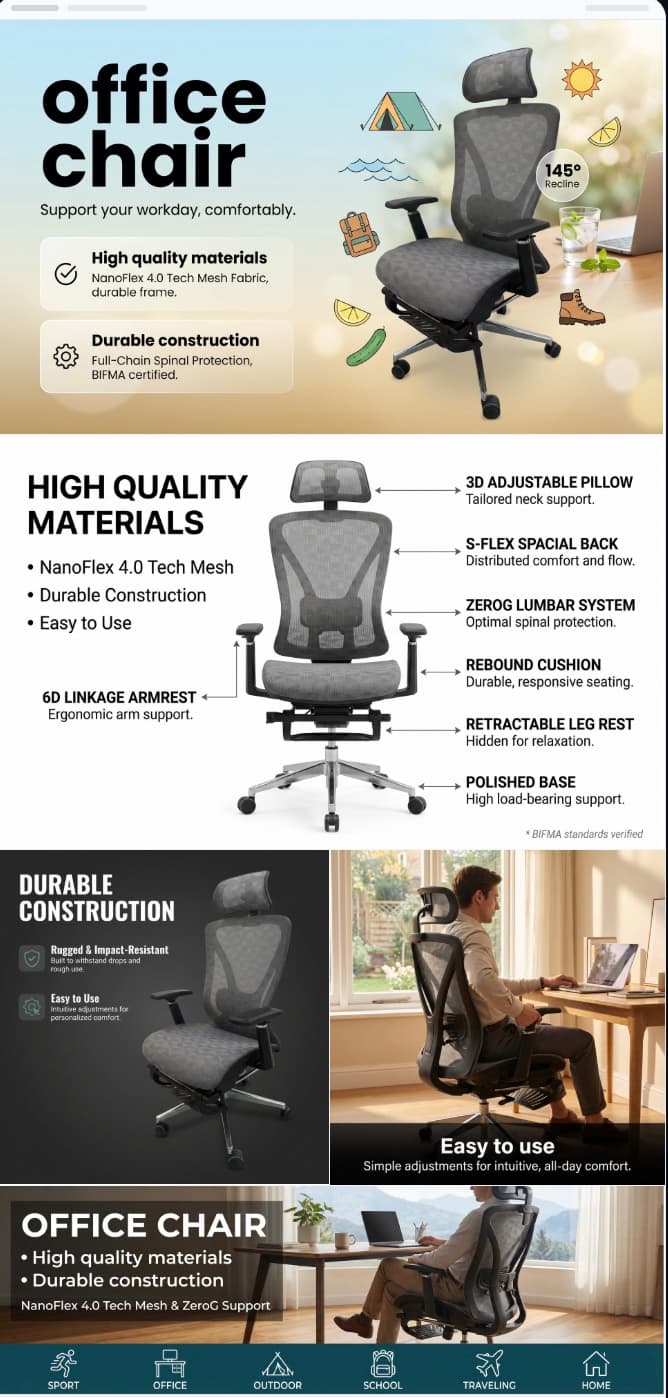
A+ Content is one of the most underused conversion tools on Amazon. Many sellers either skip it entirely or fill it with low-quality images that do not match their listing story. This guide shows you how to do it properly.
How to build your A+ Content image set
Plan your story arc before choosing modules
Decide what narrative your A+ section should tell. Common structures: brand origin → product benefits → how it works → social proof → lifestyle vision.
Select the right module layout
Amazon offers 17+ module types. The most effective are: Standard Image with Text Overlay (970×600), Standard Three Image & Text (300×300 each), and Standard Comparison Chart.
Create hero banner images at 970×600
These wide images are the visual anchors of your A+ content. Use them for brand storytelling, product-in-context scenes, or bold benefit statements with clean typography.
Build supporting detail images at 300×300
Square images work best for feature highlights, ingredient callouts, or use-case demonstrations. Keep each image focused on one idea.
Add comparison or specification modules
Use the comparison chart module to show your product vs competitors or to compare variants within your own line. This module alone can significantly reduce return rates.
Review, submit, and iterate
Amazon reviews A+ content within 7 days. Common rejection reasons include promotional language, pricing mentions, or warranty claims. Keep text factual and image-focused.
A+ Content best practices that top sellers follow
Common questions
What image sizes does Amazon A+ Content require?
The most common sizes are 970×600px for banner modules, 300×300px for three-image modules, and 350×175px for comparison chart thumbnails. All images should be 72 DPI minimum in JPEG or PNG format.
Is Amazon A+ Content free?
Standard A+ Content is free for all Brand Registered sellers. Premium A+ Content (with video and interactive modules) is available by invitation or through specific programs.
How long does Amazon take to approve A+ Content?
Typically 7 business days, though it can be faster. Rejections usually come from promotional language, unsubstantiated claims, or images that include competitor brand names.
Can I use AI to create A+ Content images?
Yes. AI tools like Fotoly can generate lifestyle banners, feature callouts, and comparison visuals in the exact dimensions A+ modules require. This is especially useful for sellers who need to create A+ content for many ASINs.
Guide network
Continue with the next most relevant guides
These pages keep connecting channel fit, image-type decisions, and full product-image workflows so the guides reinforce each other.
Amazon image requirements 2026
Ensure your main listing images meet the latest standards.
AI vs professional photography
Compare costs for creating product visuals.
Amazon infographic images
Create infographic-style images from one source photo.
Amazon product images
See complete Amazon image examples and outputs.
🔥 A+ Content banner generator
Turn one photo into a full 5-module A+ banner set — ready to drop into Seller Central.